
-
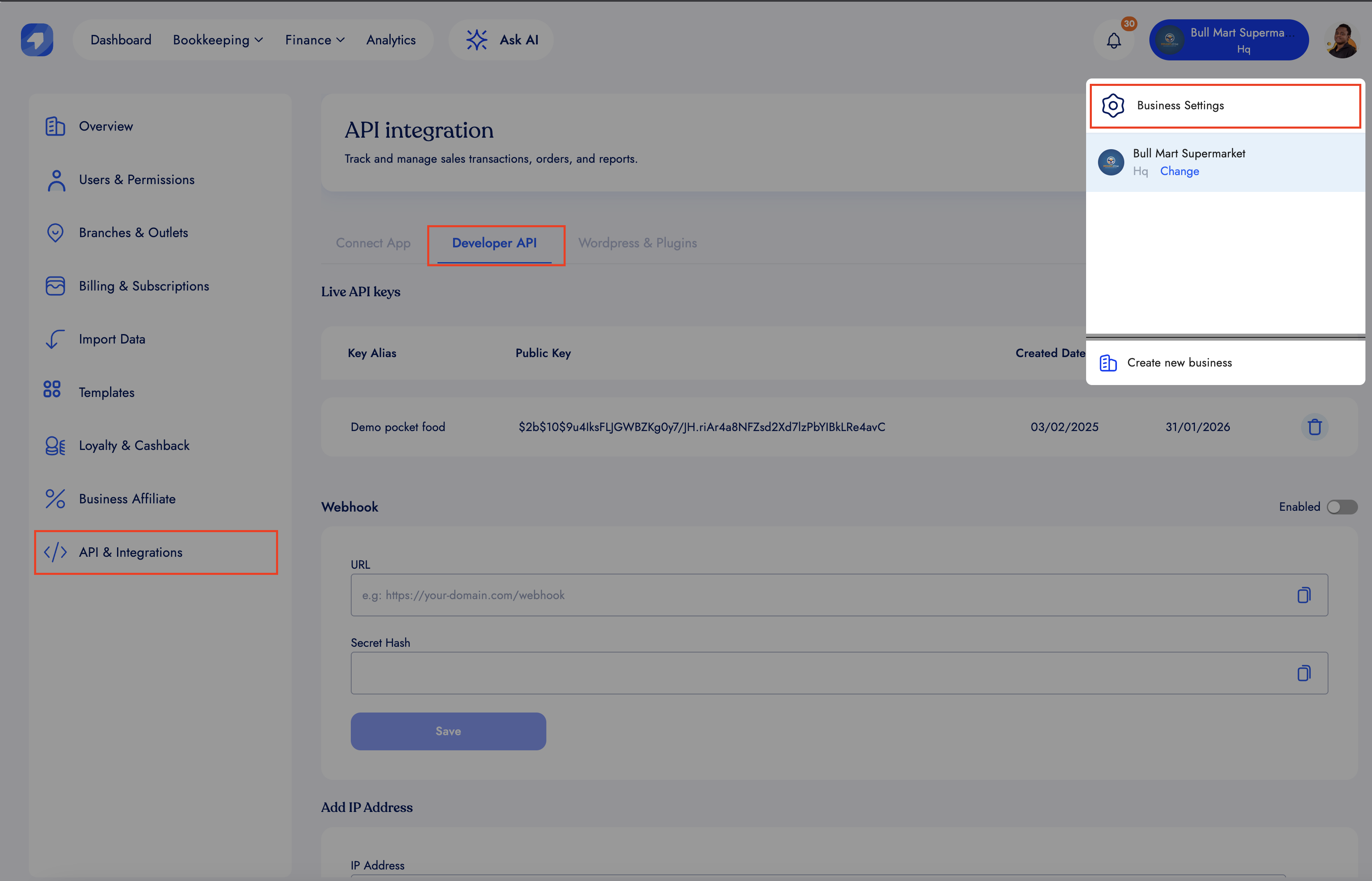
First, go to the settings menu and locate the developer API section.
-
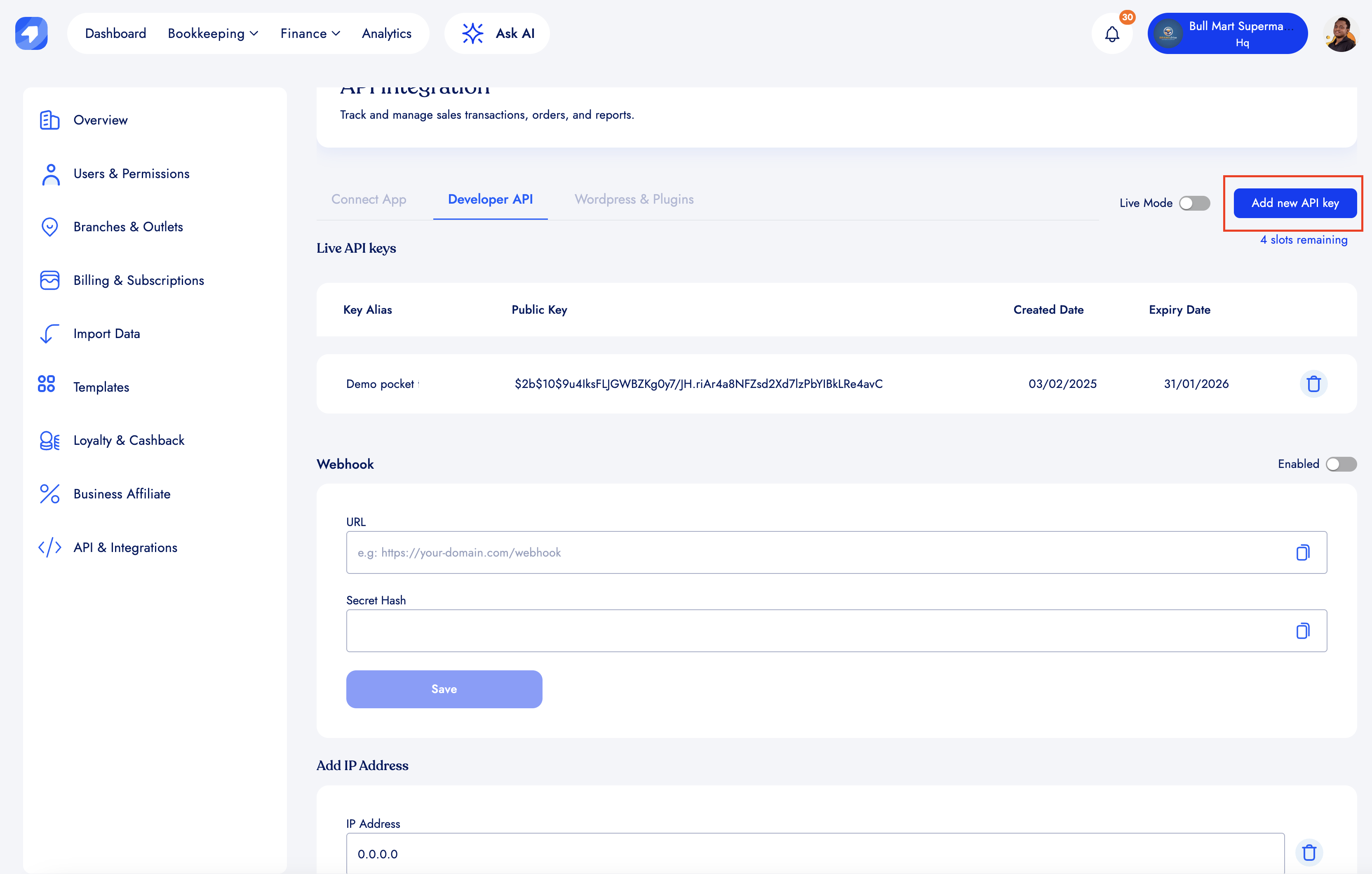
Before enabling or adding a web-hook URL, make sure you have created an API key.
-
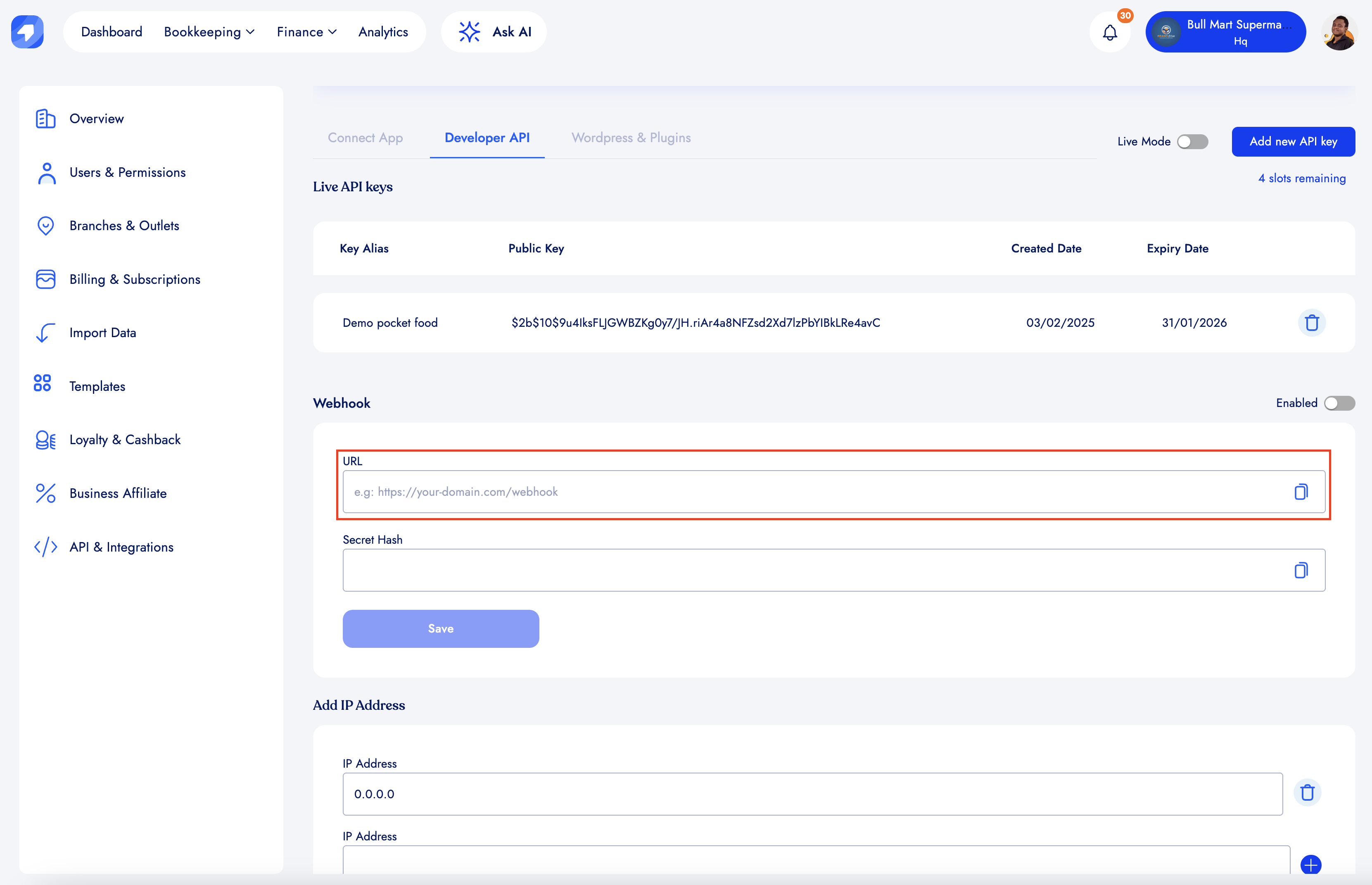
Enter a valid form-encoded URL in the URL field. Make sure this is an endpoint exposed on your server and is prepared to accept requests.
-
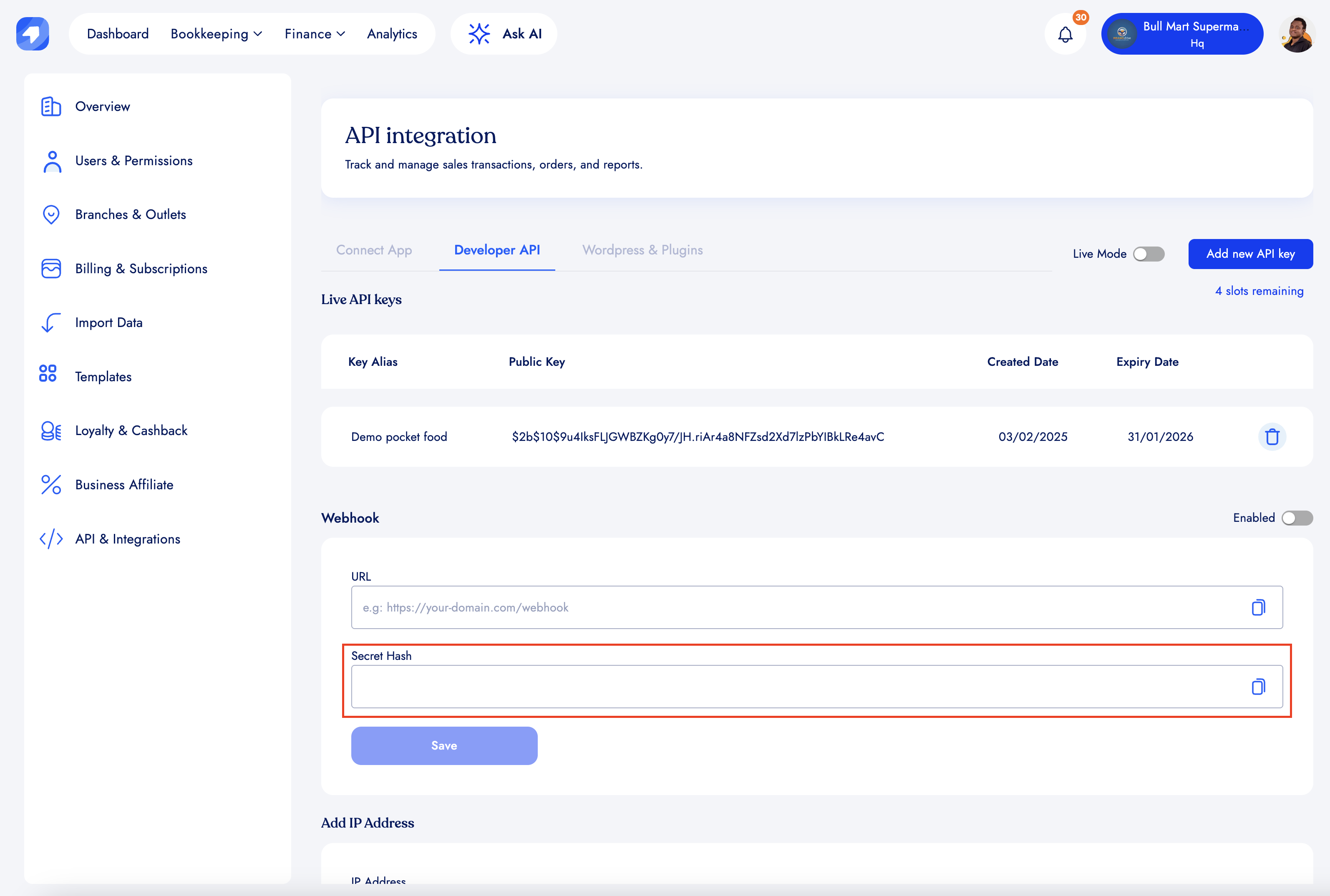
Consider adding a Secret Hash as an additional security measure (strongly recommended). This allows you to verify that BrandDrive actually initiated the web-hook request on your server, ensuring it wasn't initiated by an unknown third party.
-
Click save and that is it.